






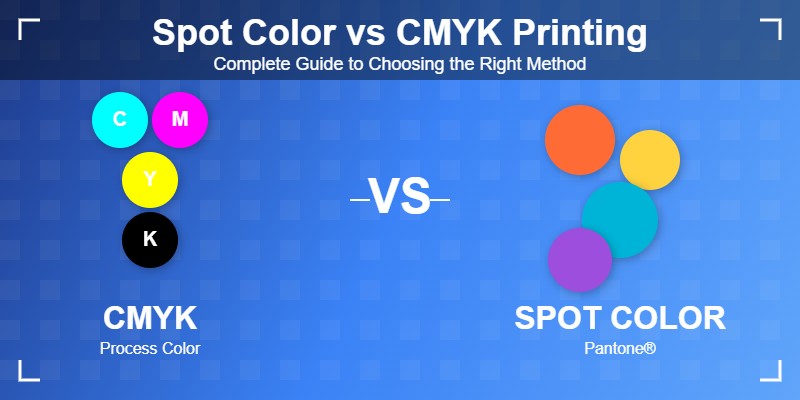
Choosing between spot color and CMYK printing can make or break your design project. Whether you're printing business cards, packaging, or marketing materials, understanding these two printing methods is crucial for achieving the perfect results while staying within budget. The decision impacts everything from color accuracy and cost to production time and final quality.
In the printing industry, one of the most frequent questions designers and business owners ask is: "Should I use spot color or CMYK for my project?" This comprehensive guide will walk you through everything you need to know about both printing methods, helping you make informed decisions that save money while delivering exceptional results.
What is CMYK Printing?
CMYK stands for Cyan, Magenta, Yellow, and Key (Black). This is the most common printing method used today, especially for full-color projects. CMYK is a four-color process where these four ink colors are combined in different percentages to create millions of color variations.
Think of CMYK like mixing paints on a palette. By combining different amounts of cyan, magenta, yellow, and black, printers can reproduce photographs, gradients, and complex color images. This makes CMYK ideal for projects with multiple colors, photos, or detailed graphics.
The CMYK process works through a technique called halftone printing. Tiny dots of each color are printed in varying sizes and densities, and when viewed from a normal distance, these dots blend together optically to create the perception of continuous color. This is why if you look closely at a magazine photo with a magnifying glass, you'll see tiny dots of cyan, magenta, yellow, and black.
How CMYK Printing Works
During CMYK printing, your design file is separated into four color channels. Each color is printed as a separate layer, with the dots overlapping to create the final image. Modern digital and offset printers can achieve stunning quality with CMYK, making it suitable for almost any full-color printing project.
The process begins with color separation software that analyzes your design and determines how much of each ink is needed in every area. A file that appears as a single image to you is actually four separate printing plates or digital layers, each controlling one of the four ink colors.
When to Use CMYK:
- Full-color photographs and images
- Brochures and catalogs with varied imagery
- Magazines and publications
- Projects with color gradients and blends
- Large-scale printing where cost efficiency matters
- Digital printing projects
- Marketing materials with diverse color palettes
- Annual reports with charts, graphs, and photography
- Postcards and flyers with photographic elements
What is Spot Color Printing?
Spot color printing (also called PMS or Pantone Matching System) uses pre-mixed inks to create specific, exact colors. Instead of mixing four colors to approximate a shade, spot colors are individual inks that produce precise, consistent colors every single time.
Imagine spot color as using a paint straight from the can rather than mixing it yourself. You're guaranteed the same color every time you print, which is why major brands like Coca-Cola red or Tiffany blue always use spot colors for their branding.
The Pantone Matching System was developed in 1963 and has become the global standard for color communication in the printing industry. Each Pantone color has a unique number and formula, ensuring that printers anywhere in the world can reproduce the same color. For instance, Pantone 286 C (a specific shade of blue) will look identical whether printed in New York, London, or Tokyo.
The Science Behind Spot Colors
Spot colors are created by mixing specific ratios of base inks according to Pantone formulas. These formulas are precise recipes that tell printers exactly how to create each color. Unlike CMYK, which approximates colors through optical mixing of dots, spot colors are solid inks that provide uniform, vibrant coverage.
One of the biggest advantages of spot colors is their ability to produce colors outside the CMYK gamut. The CMYK color space has limitations. There are many vivid colors, especially bright oranges, vibrant purples, metallic shades, and fluorescent hues that simply cannot be accurately reproduced using the four-color process. Spot colors solve this problem.
When to Use Spot Colors:
- Brand colors that must be consistent across all materials
- Limited color designs (1-3 colors)
- Metallic or fluorescent colors that CMYK can't reproduce
- Large areas of solid color
- When color accuracy is absolutely critical
- Printing on specialty materials or colored paper
- Corporate identity packages (business cards, letterhead, envelopes)
- Logos that require exact color matching
- Packaging where brand recognition depends on specific colors
- Screen printing projects
- Simple, bold designs with few colors
Key Differences Between Spot Color and CMYK
Understanding the fundamental differences between these two printing methods will help you choose the right approach for each project. Let's explore the key factors that distinguish spot color from CMYK printing.
Color Accuracy
Spot Color: Offers precise, consistent color matching. Perfect for brand identity materials where your logo must look identical on every piece. A spot color will remain consistent across different print runs, different printers, and different types of paper stock. This reliability is why corporations invest in defining their brand colors as specific Pantone numbers.
CMYK: Can vary slightly between print runs and printers. Colors are approximations created by mixing four inks. Factors like paper quality, printing press calibration, humidity, and ink density can all cause subtle variations in CMYK printing. While modern printing technology has minimized these variations, they still exist and can be noticeable when comparing prints side by side.
Cost Considerations
Spot Color: More economical for simple designs with 1-3 colors. Each spot color requires its own printing plate, so costs increase with more colors. If you're printing a two-color business card (for example, black text and your brand's specific blue), spot color printing is typically cheaper than CMYK. However, if you need six different spot colors, CMYK becomes more cost-effective.
CMYK: Cost-effective for full-color projects. Using four colors, you can print unlimited color variations at the same price point. Whether your design has 10 colors or 1,000 colors, the cost remains the same because you're always using the same four inks. This makes CMYK the go-to choice for photography-heavy projects and designs with complex color schemes.
Production Time
Spot Color: Can be faster for simple jobs since fewer plates are needed. A two-color spot job requires only two plates and two passes through the press.
CMYK: Requires four plates and four printing passes, which can take longer for simple designs but is standard for complex work. However, modern presses are optimized for CMYK, so the time difference is often negligible for professional print shops.
Color Range
Spot Color: Can achieve colors that CMYK cannot, including metallics (gold, silver, copper), fluorescents (hot pink, electric yellow), and very vibrant hues. Spot colors can also include special effects like pearlescent finishes, textured inks, and even temperature-sensitive or scented inks. The Pantone library includes over 2,000 colors, many of which are impossible to match with CMYK.
CMYK: Limited to colors that can be created by mixing cyan, magenta, yellow, and black. Some bright or specialty colors are impossible to achieve. The CMYK gamut (range of colors) is smaller than what the human eye can see, meaning certain vivid colors will always look duller in CMYK than in spot color.
Paper Compatibility
Spot Color: Works exceptionally well on colored or textured papers. Because spot colors are opaque inks, they show up vibrantly even on dark paper stocks. This makes spot colors ideal for projects using kraft paper, colored cardstock, or specialty materials.
CMYK: Works best on white or light-colored paper. CMYK inks are semi-transparent, so the paper color shows through and affects the final appearance. Printing CMYK on a tan or gray paper will shift all your colors.
File Preparation
Spot Color: Requires designers to specify exact Pantone colors in design files. Each color is separated into individual layers. Design software like Adobe Illustrator and InDesign has built-in Pantone libraries where you can select specific spot colors. These colors appear in your file as named swatches, not as CMYK or RGB values.
CMYK: Standard color mode in most design software. Files are prepared using CMYK color profiles. Converting from RGB (screen colors) to CMYK is straightforward in professional design applications, though colors may shift during conversion since RGB has a wider color gamut than CMYK.
Real-World Examples
Understanding theory is important, but seeing how these printing methods apply to actual projects makes the difference clear.
Spot Color Projects:
- Corporate business cards with a company logo in specific brand colors, ensuring every employee's card matches perfectly
- Wedding invitations with specific color themes that must match throughout save-the-dates, invitations, programs, and thank-you cards
- Product packaging that requires brand color consistency across different packaging sizes and materials
- Specialty items with metallic or fluorescent inks, like invitations with gold foil or safety posters with fluorescent warning colors
- Simple promotional materials like single-color or two-color flyers for budget-conscious campaigns
- Screen-printed apparel where each color is printed separately
- Envelopes and letterhead for corporate identity systems
- Gift certificates or vouchers with security features using special inks
CMYK Projects:
- Product catalogs with photography showing items from every angle, with accurate color representation
- Full-color magazine advertisements featuring lifestyle imagery, products, and complex graphics
- Event posters with images and graphics promoting concerts, festivals, or conferences
- Annual reports with charts, graphs, infographics, and photography
- Restaurant menus showcasing full-color food photography
- Real estate brochures with property photos and colorful graphics
- Travel brochures featuring destination photography
- Coffee table books and photography books require precise photo reproduction
Can You Combine Both Methods?
Absolutely! Many high-end printing projects use both methods, taking advantage of the strengths of each. For example, a brochure might be printed in CMYK for photographs and general content, with a spot color overlay for the company logo to ensure brand consistency. This combination is often called "5-color printing" (CMYK plus one spot color) or "6-color printing" (CMYK plus two spot colors).
Why Combine Spot and CMYK?
Combining printing methods allows you to achieve the best of both worlds. You get the full-color capabilities of CMYK for photographic content while maintaining perfect brand color accuracy with spot colors for logos and key brand elements.
Common Combination Scenarios:
Premium Annual Reports: Print the entire report in CMYK to handle all the charts, graphs, and photography, then add a spot metallic gold for the company logo on the cover and throughout the document. This creates a luxurious feel while keeping costs reasonable.
Product Packaging: Use CMYK for product photography and detailed graphics, with spot colors for the brand logo and any specialty effects like metallic accents or fluorescent warning labels.
Corporate Brochures: Print lifestyle photography and diverse graphics in CMYK, but ensure the company logo appears in the exact brand spot color on every page for consistency.
High-End Invitations: Use CMYK for decorative photography or patterns, combined with metallic spot colors for elegant accents and the couple's monogram.
The main consideration when combining methods is cost. Each additional printing method requires extra setup, plates, and press time, which increases the total project cost. However, for projects where brand consistency or special effects are crucial, the investment is often worthwhile.
Making Your Decision: Which Should You Choose?
Selecting the right printing method doesn't have to be complicated. Ask yourself these questions to determine the best approach for your project:
1. How many colors does your design use? (1-3 colors = consider spot; full color = use CMYK)
2. Do you need exact brand color matching? (Yes = spot color)
3. Does your project include photographs? (Yes = CMYK)
4. Do you need metallic or fluorescent colors? (Yes = spot color)
5. What's your budget and quantity? (High volume simple designs = spot color; complex full-color = CMYK)
6. What type of paper are you printing on? (Colored or textured = spot color works better)
7. How critical is color consistency across reprints? (Very critical = spot color)
8. Is this for brand identity or marketing? (Brand identity = spot color; marketing with varied content = CMYK)
Quick Decision Matrix
- Choose Spot Color When:
- You have a simple design with 1-3 solid colors
- Brand color consistency is non-negotiable
- You need special effects (metallic, fluorescent, etc.)
- You're printing on colored or specialty paper
- You're doing large quantities of simple designs
- Your budget is limited, and the design is simple
Choose CMYK When:
- Your design includes photographs
- You have multiple colors, gradients, or complex graphics
- You need a full-color reproduction
- Exact color matching is less critical
- You're working with white or very light paper
- You need a quick turnaround with digital printing
Choose Both When:
- You need photographs AND exact brand colors
- You want specialty effects combined with full-color images
- Budget allows for premium, high-impact printing
- Brand consistency is crucial but you also need photographic elements
Pro Tips for Better Printing Results
For CMYK Printing:
Design in CMYK from the Start: Always use CMYK color mode in your design files, not RGB. RGB colors appear more vibrant on screen but shift dramatically when converted to CMYK. Design in CMYK from the beginning to avoid disappointment.
Request Physical Proofs: Always request a physical proof before final printing. Screen displays cannot accurately show how CMYK will look on paper. A physical proof shows exact colors, paper texture interaction, and any potential issues.
Understand Screen vs. Print Color: Screen colors won't match printed colors exactly because screens use RGB (light-based color) while printing uses CMYK (pigment-based color). This is physics, not a printing problem. Manage client expectations accordingly.
Allow for Variation: Understand that slight color variation between print runs is normal with CMYK. Industry-standard color tolerance accounts for these minor shifts. If you need perfect color matching across multiple print runs spanning months or years, consider spot colors instead.
Consider Paper Stock: Paper quality dramatically affects CMYK results. Uncoated paper absorbs more ink, making colors appear duller. Coated paper reflects more light, making colors more vibrant. Request samples of your chosen paper.
Use Rich Blacks: For deep, professional-looking blacks, don't use 100% black alone. Use a "rich black" by adding other colors: 70% cyan, 50% magenta, 40% yellow, and 100% black creates a much richer, deeper black.
For Spot Color Printing:
Reference Official Pantone Books: Always use official Pantone color books for accurate selection. Colors on screen, in printed documents, or in unofficial color charts will not match reality. Physical Pantone swatch books show colors on both coated and uncoated paper.
Specify Exact Pantone Numbers: Communicate your Pantone numbers clearly to your printer (e.g., "Pantone 286 C" not just "Pantone 286"). The "C" designates coated paper, while "U" is for uncoated. The same Pantone number looks different on different paper types.
Consider Paper Color: Think carefully about how your spot colors will look on your chosen paper stock. A yellow spot color on white paper looks different than the same yellow on cream-colored paper. Request drawdowns (ink samples on your paper) if color is critical.
Plan for Overprinting: When spot colors overlap, they create new colors. If your design has overlapping spot colors, discuss with your printer how to handle these areas do you want them to trap, overprint, or knock out?
Order Printed Samples: If color accuracy is mission-critical (like for brand standards), order printed samples from your printer before committing to large quantities. This is especially important if you're establishing brand colors for the first time.
Understand Paper Impact: The same Pantone color can look quite different on glossy coated paper versus matte uncoated paper. Coated papers make colors appear brighter and more saturated; uncoated papers create softer, more muted tones.
Universal Best Practices:
Communicate with Your Printer Early: Involve your printer in the planning stages. They can advise on the most cost-effective and quality-conscious approach for your specific project.
Build Relationships: Develop relationships with reliable printers who understand your quality standards and brand requirements. Consistency comes from working with professionals who know your expectations.
Keep Digital Records: Maintain accurate records of your color specifications, especially for brand colors. Document Pantone numbers, CMYK values, and any special printing instructions for future reprints.
Common Mistakes to Avoid
Learning from common printing mistakes can save you time, money, and frustration:
CMYK Mistakes:
- Designing in RGB and converting to CMYK at the last minute, resulting in unexpected color shifts
- Assuming screen colors will match print colors
- Using 100% black for large solid areas instead of rich blacks
- Not accounting for paper color and texture affecting final results
- Skipping the proof stage to save money, only to discover issues in the final print run
Spot Color Mistakes:
- Selecting Pantone colors on screen rather than from physical swatch books
- Not specifying whether colors are for coated (C) or uncoated (U) paper
- Using too many spot colors when CMYK would be more economical
- Forgetting that spot colors look different on different paper stocks
- Not communicating exact Pantone numbers to printers, assuming "red" or "blue" is specific enough
General Mistakes:
- Not involving your printer early in the design process
- Choosing the wrong printing method for your specific needs
- Sacrificing quality to save small amounts of money on important brand materials
- Not keeping accurate records of color specifications for future reprints
Industry Trends and Future Developments
The printing industry continues to evolve with new technologies and techniques:
Expanded Color Gamut (ECG) Printing: Some modern printers now use 6 or 7-color processes that expand beyond traditional CMYK, achieving colors closer to spot color accuracy while maintaining the flexibility of process printing.
Digital Spot Color Matching: New digital printing technologies can now simulate spot colors more accurately than ever before, though they still cannot match the consistency of traditional spot color printing.
Sustainable Printing Options: Both CMYK and spot color printing now offer eco-friendly ink options, including vegetable-based inks, recycled paper stocks, and waterless printing processes.
On-Demand Printing: Digital CMYK printing has made short-run, on-demand printing more economical, reducing waste and storage needs for businesses.
Both spot color and CMYK printing have their place in professional printing, and understanding when to use each method is crucial for achieving the best results. CMYK excels at reproducing full-color images and complex designs affordably, making it the standard choice for photography-heavy projects, magazines, catalogs, and marketing materials with diverse color palettes.
Spot colors, on the other hand, guarantee exact color matching and can achieve effects CMYK cannot, making them indispensable for brand identity materials, corporate stationery, packaging, and any project requiring metallic or fluorescent inks. The consistency and vibrancy of spot colors ensure your brand always looks exactly as intended, regardless of when or where you print.